
Integration means your doors, cameras, gates, and intercom share one credential database and one event timeline instead of operating as separate systems. The practical payoff is that every access event is tagged to video, one card works at the lobby and the parking lane, and an investigation takes minutes instead of an afternoon of scrubbing footage. The work is mostly in planning: matching protocols, synchronizing clocks, and choosing hardware that talks to each other. Retrofitting integration onto equipment that was never meant to connect is the expensive path, so decide before you buy.
Key Takeaways
- Integration is about shared credentials and a shared event timeline, not about buying everything from one brand
- Event-tagged video is the single biggest day-to-day benefit, since you jump straight to the clip instead of searching by time
- Clock synchronization across controllers and recorders is the detail that makes or breaks investigations, and it is routinely skipped
- One credential covering doors, vehicle lanes, and visitor entry is what most clients actually want when they ask for integration
- Fire alarm interface is a life-safety requirement, not an integration feature, and it must release egress doors on alarm
- Choose open protocols over proprietary ones so you are not locked into a single vendor for the next decade
1. What Integration Actually Means
Integration is not one system, it is separate systems sharing data through a defined interface. Understanding that distinction keeps you from paying for a rip-and-replace when a connection is what you needed.
What integrating access control with CCTV and gate systems really involves
Three levels exist, and vendors use the word “integrated” for all of them:
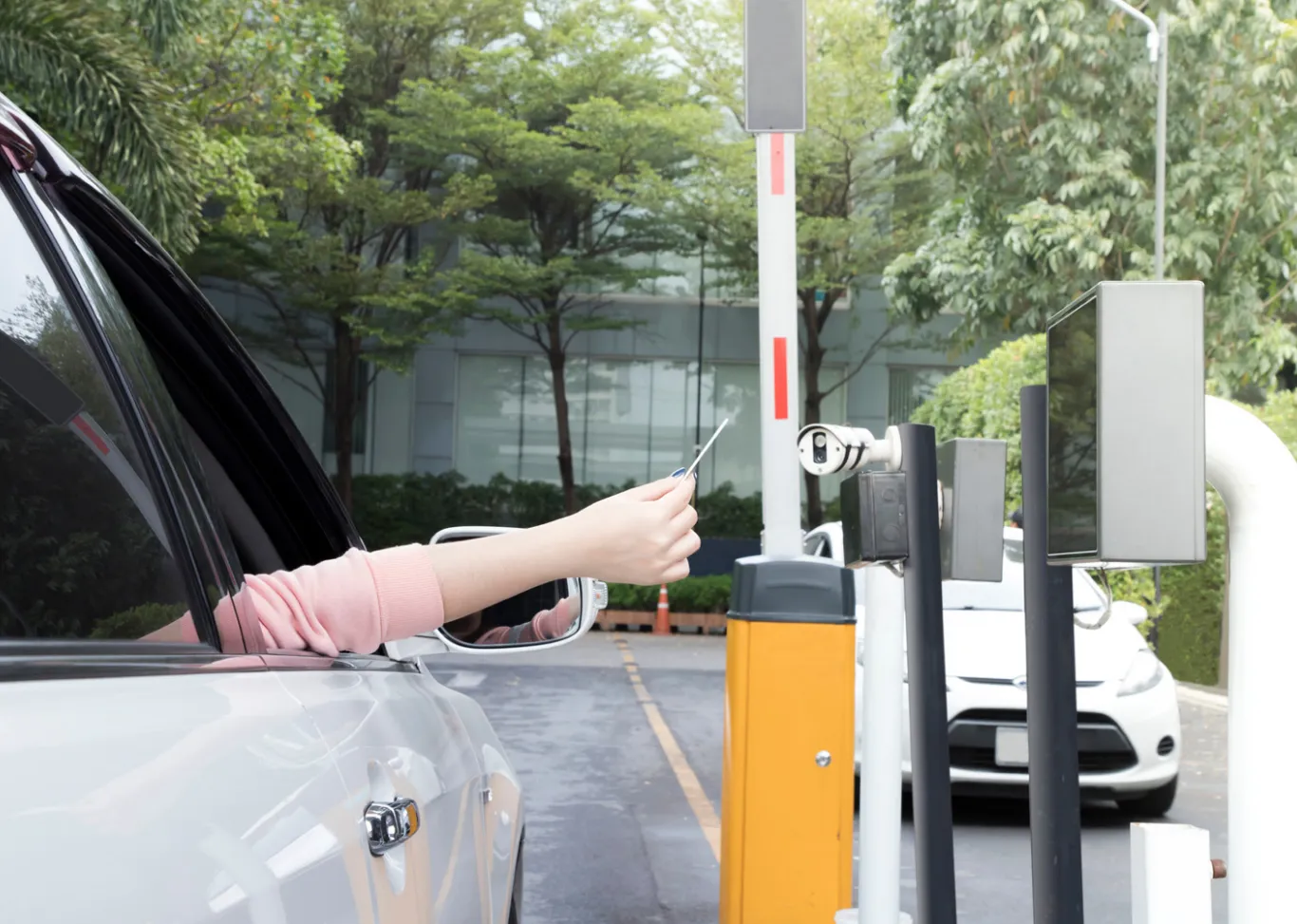
Level one, shared credentials. One card or fob works at every door, the lobby intercom, and the parking lane. Users carry one credential and administrators manage one database. This alone solves most of what clients are frustrated about.
Level two, shared events. An access event at a door writes a record that the video system can attach to a clip. A forced-door alarm appears in the same log as the camera that recorded it. You get one timeline rather than three.
Level three, shared logic. One system triggers another. A denied access attempt at the server room starts a recording and sends an alert. A gate opening cues the lane camera to capture a plate. This is where integration becomes most useful and also where it gets fragile if the underlying platforms are mismatched.
Most commercial properties need levels one and two, and benefit from a small number of level-three rules. Almost nobody needs every possible trigger, and building dozens of them creates a system nobody understands in two years.
Everything here sits on top of a properly installed access control system as the foundation. If the doors are not wired and configured correctly, integration adds a layer of complexity on top of an unreliable base. The install sequence matters, and How to Install and Configure Access Control Systems: A Step-by-Step Guide for Businesses covers what has to be right before you connect anything.
2. Access Control and CCTV: Tagging Video to Events
The reason to connect cameras to your doors is search, not recording. Your cameras already record. Integration is what makes the footage findable.
How to connect access control events to your camera system
What changes when the two are connected:
- Every access event becomes a video bookmark. Instead of knowing that something happened around 2 PM and scrubbing an hour of footage, you open the access log, click the event, and the clip starts at that moment.
- Failed attempts become visible. Three denied reads at the back door at 11 PM is a log entry in a standalone system. Integrated, it is a log entry with a face attached.
- Door-forced and door-held alarms get context. A propped door is the most common real security failure we see, and a camera view attached to that alarm tells you in seconds whether it is a delivery in progress or a problem.
- Credential misuse becomes provable. A card is a credential, not a person. Video at the moment of use is what closes the gap between “Card 4471 was used” and “this individual used it.”
The detail that gets skipped: clock synchronization. If your access controller and your video recorder disagree by even ninety seconds, every event you click lands you in the wrong part of the footage, and the mismatch is worst exactly when you need it most. Point every device on the system, controllers, recorders, and cameras, at the same time source and verify it after install. This is a five-minute configuration step that determines whether the integration is useful or merely present. It is the single most common oversight we correct on systems installed by others.
Camera placement for integration: a camera that captures the door but not the face of the person at the reader has limited investigative value. Mount to capture the approach and the reader interaction, not just the doorway. For exterior doors, watch for backlighting at the times of day that matter.
3. Access Control and Vehicle Gates
Vehicle entrances are where integration pays off most visibly, because the alternative is a second credential and a second database for the same employees.
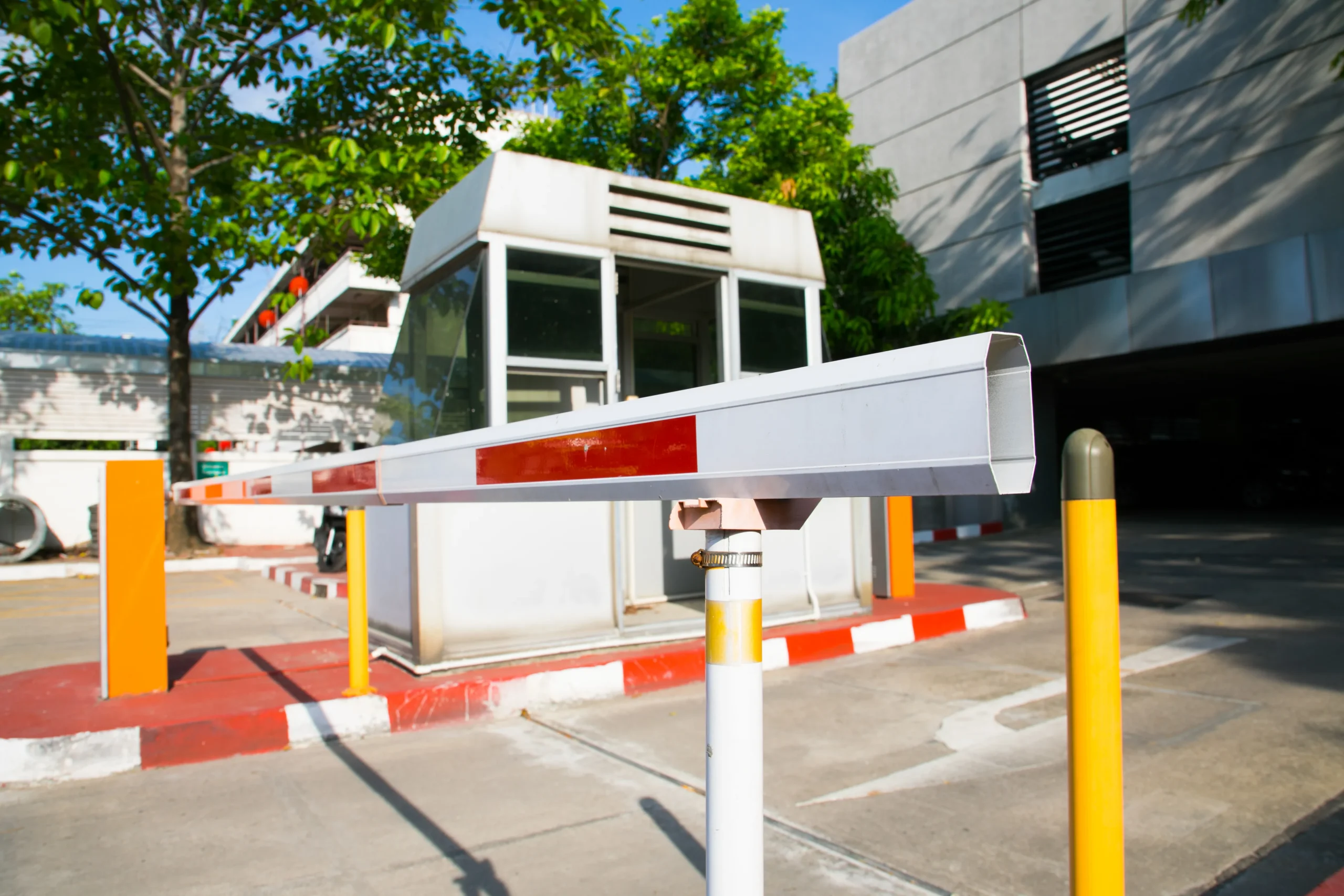
Integrating a parking control barrier with your door access system
Tying a parking control barrier to the same controller as your doors gives you:
- One credential for the lot and the building. Employees stop carrying a separate gate remote, and you stop maintaining a separate list of who has one.
- One deactivation on departure. When someone leaves, a single action removes their access to the building and the lot. Orphaned gate remotes are one of the most common gaps we find during security assessments, because they live outside the access control system entirely.
- Occupancy and traffic data from the same reporting that covers your doors.
- Anti-passback logic, so a credential used to enter the lot cannot be handed back through the fence for a second vehicle.
Credential types that work at a lane: long-range tags or windshield transponders let a driver stay in the car, which is what you want for daily employee use. A card reader system on a pedestal works for lower-volume lanes where reaching from the window is acceptable. Plate recognition is a separate technology that can supplement either.
Gate safety is not part of the integration conversation, it is a prerequisite. Automatic vehicular gate operators are covered by standards from UL Solutions, which require entrapment protection so a gate cannot close on a vehicle or a person. Construction requirements for the gate itself are covered separately under industry standards. Do not attempt to modify, bypass, or disable gate safety devices to make an integration work. If a photo eye or reversing sensor is interfering with your access logic, the logic is wrong, not the safety device. Automatic gates cause serious injuries when protection is defeated, and this is one area where there is no acceptable workaround.
Call a pro if: your gate operator is more than roughly a decade old, since older operators may lack the required entrapment protection and may need replacement rather than integration. This is worth assessing before you budget for anything else.
Do not forget the people walking in. A gated vehicle entrance still needs a pedestrian path that does not require anyone to walk in the traffic lane, and where that path serves an accessible route, the hardware, clearances, and opening force are governed by the standards published at ADA.gov. We see this missed regularly on retrofits: the lane gets a barrier and a reader, and the walk-in gate beside it ends up too heavy, too narrow, or with the reader mounted out of reach. Designing the pedestrian gate alongside the vehicle lane costs almost nothing. Correcting it after an inspection or a complaint does not.
4. Access Control and Intercom or Telephone Entry
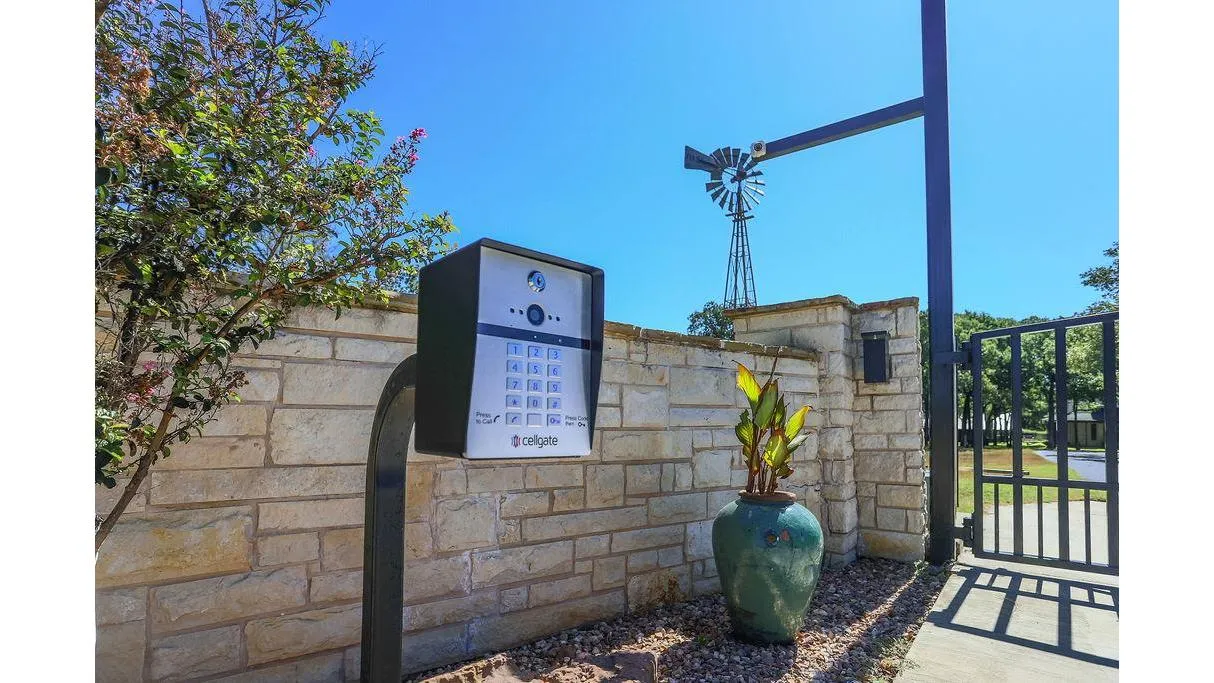
Readers handle people you know. Intercom handles everyone else. Integrating the two is how a visitor gets in without a staff member walking to the door.
Connecting a telephone entry system to your access control platform
A telephone entry system integrated with your access control gives you:
- Visitor entry without enrollment. A courier or client calls the person they are there to see, that person releases the door, and the release is logged as an event like any other.
- Remote release from a phone, which matters for after-hours deliveries and for properties without a staffed front desk.
- One directory to maintain. When an employee changes extensions or leaves, you update one system rather than reprogramming a standalone call box.
- A logged visitor trail. Manual door releases are recorded with who authorized them, which is the piece that standalone intercoms almost never provide.
For multi-tenant buildings this is usually the highest-value integration in the whole project, because the alternative is each tenant managing their own entry arrangement and nobody having a complete record of who came through the front door.
One practical caution: a remote release button on a phone app is convenient and it is also a credential. Treat app-based release with the same permission discipline as a card, restrict who has it, and make sure releases are logged with the identity of the person who authorized them rather than as anonymous door events.
5. Fire Alarm and Life Safety Interface
This is not an optional integration and it is not a feature. It is a code requirement, and it is the one item on this page where getting it wrong has consequences beyond security.
Why your access control system must interface with fire alarm
When a fire alarm activates, access-controlled doors along egress paths have to release so occupants can leave without any credential. Codes published by NFPA govern how secured doors must behave during an alarm and during a loss of power, and the requirements differ by door type, occupancy, and whether the opening is part of a required egress path.
Two concepts your installer should explain to you in plain terms:
- Fail-safe hardware unlocks when power is removed, which is what egress doors generally require.
- Fail-secure hardware stays locked when power is removed, which is appropriate for some interior doors but not for required egress.
Choosing wrong in either direction creates a real problem: fail-secure on an egress door can trap people, and fail-safe on a sensitive interior door means a power interruption opens it.
What this means for your project:
- The fire alarm interface must be designed and installed by qualified people, and it is inspected
- Free egress from the inside is never conditional on a credential, no matter what reader technology you chose
- Testing the alarm interface is part of commissioning, not something to verify later
- Do not attempt to wire or modify the fire alarm interface yourself, and treat any vendor who suggests bypassing it as disqualified from the project
This is the clearest example of why integration work belongs with licensed installers. A security mistake costs you money. A life-safety mistake costs more than that.
6. Platforms, Protocols, and Avoiding Vendor Lock-In
The decision that determines whether integration is easy or painful is made when you buy hardware, not when you configure it.
How to choose integration-ready access control hardware
Ask about these specifically:
- Reader-to-controller protocol. Older installations use Wiegand, which is unencrypted and has known weaknesses. Newer deployments use OSDP, which supports encryption and two-way communication between reader and controller. If you are buying new, ask for OSDP support and ask whether encryption is actually enabled by default or merely available.
- Camera standards support. Systems that support widely adopted camera interoperability standards can integrate with cameras from multiple manufacturers. Proprietary-only video platforms limit you to one vendor’s cameras for the life of the system.
- Documented API or published integration list. “It integrates” and “here is the documented integration with the specific product you own” are different answers. Ask for the second one.
- Who owns your data. If you leave the platform, can you export your credential database, your access logs, and your video? Get the answer before you sign, not after.
Network practices that matter:
- Put security devices on a segmented network rather than the same flat network as office workstations
- Change every default password on every device, including cameras, which are the most commonly compromised item on a security network
- Establish who is responsible for firmware updates and on what cadence, because a networked reader or camera running years-old firmware is a liability rather than an asset
Our rule of thumb from the field: favor open protocols and documented integrations even when a closed proprietary bundle looks cheaper or simpler at purchase. The bundle is cheaper on day one and expensive in year six, when the one vendor who can service it quotes whatever they like and your only alternative is replacing everything.
Reader choice interacts with all of this, since biometric readers introduce data handling considerations that card readers do not. See Biometric Access Control vs. Keycard Systems: Which Security Solution Fits Your Business? before finalizing hardware.
7. What Goes Wrong: Common Integration Failures
Most failed integrations are not technical failures. They are planning failures that surface six months later. Here is what we get called to fix.
Integration mistakes that undermine your security system
- Clock drift. Covered above and worth repeating, because it is the most common and the most quietly damaging. Devices whose clocks were never synchronized produce a video and access record that do not line up.
- Nobody owns the system. Integration creates one system where there were three, and it needs one owner. When responsibility is split between facilities and IT, permission changes lag, departing employees keep access, and firmware goes un-updated. Name a person, not a department.
- Too many automation rules. A system with forty triggers built by someone who has since left the company is a system nobody will touch. Build the handful of rules that matter, document them, and stop.
- Alert fatigue. If every door-held event pages someone, within a month nobody reads the alerts. Tune thresholds to the real traffic pattern of each door.
- Phased installs that never finish. Phase one goes in, budget shifts, and the cameras are never connected. If you are phasing, get the integration cabling and licensing in phase one even if the devices come later. Retrofitting is where integration budgets go to die, and the cost difference is significant enough to plan around. For the full picture on what each piece adds, see Access Control System Costs: How Much Should You Budget for Installation and Maintenance?
- No documentation. When the person who configured the system leaves and there is no record of which camera pairs with which door or why a given rule exists, your integrated system becomes a black box. Ask for as-built documentation as a deliverable.
- The wrong contractor classification. An integrated job crosses low-voltage cabling, line-voltage connections, gate operators, and network configuration, and not every security vendor is licensed for all of it. In California you can check any contractor’s license status and classification with the CSLB before you sign. This matters more on integration work than on a single door, because the failure mode is not bad workmanship: it is a finished system that cannot pass inspection, or a gate operator installed by someone whose classification did not cover it. Verify the license as part of comparing bids, not after the work is done.
Standalone vs. Integrated: What Changes
Capability | Standalone Systems | Integrated System |
Credentials | Separate card, gate remote, intercom code | One credential everywhere |
Employee offboarding | Multiple systems to update, easy to miss one | Single deactivation |
Finding footage of an event | Search by approximate time | Click the event, video opens at that moment |
Failed access attempts | Log entry only | Log entry with video |
Propped or forced door | Local alarm, no context | Alarm with live camera view |
Visitor entry record | Usually none | Logged with authorizing person |
Vehicle lane access | Separate remote list | Same database as doors |
Reporting | Per-system, manual consolidation | One timeline |
Upfront cost | Lower | Higher |
Ongoing admin time | Higher, multiplied per system | Lower |
Vendor flexibility | Varies | Depends entirely on protocol choices |
Conclusion
Integration is worth doing for one reason: it collapses three systems that each tell you part of a story into one system that tells you the whole thing. The credential consolidation is what employees notice. The event-tagged video is what you will actually use the first time something happens.
Get the boring parts right and the rest follows. Synchronize the clocks. Choose open protocols so you are not captive to one vendor in year six. Name one person who owns the system. Build a small number of automation rules and document them. Get the fire alarm interface designed by people qualified to do it, and never let anyone talk you into bypassing a gate safety device to make an integration work.
If you are in San Leandro or the wider East Bay and want your doors, gates, cameras, and entry system working as one, R&S Overhead Garage Door, Inc. will assess what you already have, tell you what can be integrated versus what needs replacing, and scope the work so the pieces connect properly the first time. Book a free integration assessment or call us to talk through your property.